Preparing a return
You have a period ending and transactions to account for. Import them, review what the platform holds out, and prepare the return. Rates and categories are applied as they stood on each transaction's date.
CoralLedger Comply is built for firms that manage VAT compliance for multiple Bahamian businesses.
Managing 20 clients in Excel means 20 spreadsheets, 20 deadlines to track, 20 chances for error. And with the 2025-2026 VAT reforms - including the April 2026 food changes - every one of those spreadsheets just got more complicated.
Every client has their own workbook. One version-control mistake and you're filing the wrong figures for the wrong period.
VAT deadlines don't cluster - they scatter. Tracking them in a shared calendar means one missed notification away from a late penalty.
Manual apportionment calculations, copy-paste between systems, and no audit trail - the risk compounds with every client you add.
Five steps. No spreadsheets. Every client handled the same way, every time.
Create a client workspace in seconds. Each client gets their own isolated environment - transactions, returns, and audit history fully separated.
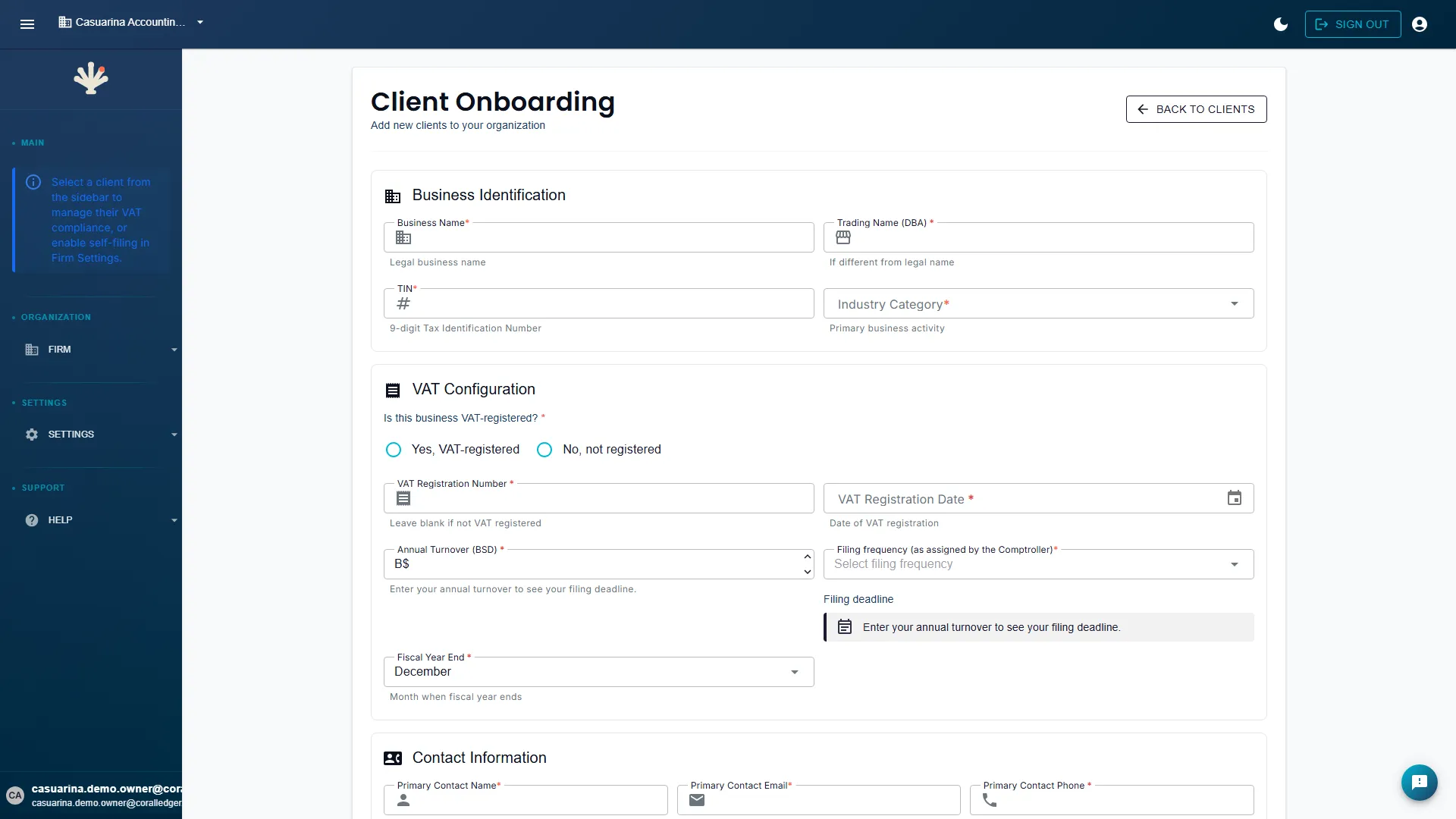
Key in transactions manually or upload a CSV export. Standard 10%, Reduced 5%, Zero-Rated 0%, and Exempt are supported; CoralLedger Comply surfaces flags and conflicts, and the practitioner confirms every classification.
The platform prepares a Department of Inland Revenue (DIR)-format VAT return for the selected period. Supporting calculations stay attached in the export package.
Download the return and full workings package. Share with the client for approval or route to a senior reviewer - no re-keying required.
CoralLedger Comply generates the complete filing artifact set: the DIR-format return, the supporting workings, and the audit trail. You file the return with the Department of Inland Revenue outside CoralLedger Comply, then record the lodgement here. If the Department issues a reference, you record that too, and it joins the audit trail. The full audit defense package is retained for the platform's seven-year policy period.
When you click Finalise, CoralLedger Comply does not file your return. It prepares it. You get the filing artifact set: the DIR-format return, the supporting workings and the audit trail. You file with the Department of Inland Revenue, then record the lodgement here.
The Firm Portal shows every client's compliance status, upcoming filing deadlines, and outstanding action items - all in one view. No switching tabs. No status emails.
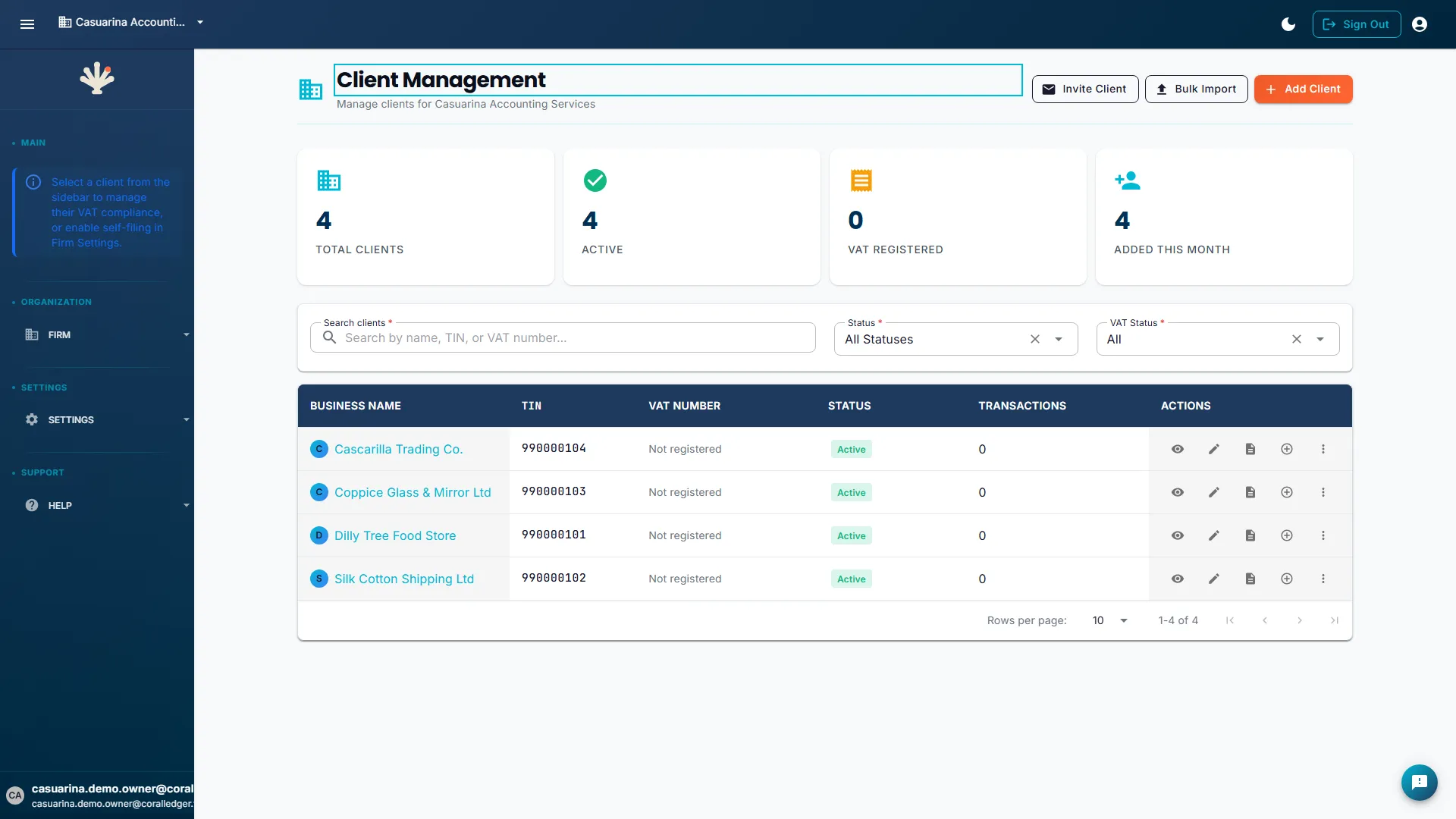
Every feature designed around multi-client practice management - not bolted on after the fact.
Generate and review VAT returns for multiple clients in a single session. Queue returns for approval, export in bulk, and track filing status across the entire portfolio from one screen.
Assign preparer and reviewer roles to team members. Staff see only the clients they're assigned to. Senior partners retain full portfolio visibility and final approval authority.
Every client's transactions, returns, and audit history are held separately. Audit trails are per-client and append-only.
All VAT filing deadlines across your client portfolio surface in a single calendar view. Filter by status - upcoming, overdue, prepared - and set deadline reminders per client.
Operational status signals for every client. Spot filing gaps, missing data, and apportionment anomalies before the next period.
Export the records the platform keeps: transaction history, rate classifications, and return history.
When an authorised practitioner approves a return, CoralLedger Comply captures their name and the typed capacity they're acting in - Registered Taxpayer, Licensed Practitioner, Authorised Employee, or Authorised Agent. The audit trail records who approved the package and the capacity they supplied.
When an authorised practitioner with an active attestation files for a client, CoralLedger Comply presents the signatory name and capacity for review. The details are shown only when both an active client assignment and an active attestation exist. Workload assignees who are not the practitioner of record do not receive those details.
The practitioner attestation pathway records assignment and activation controls before any prefill is available.
The following rate-change carve-outs are outside the supported scope of CoralLedger Comply:
Built on the VAT Act 2014 and the published DIR guidance the engine implements.
Every calculation and classification is grounded in the primary legislation. No shortcuts, no interpretive leaps.
All published DIR guidance - including the apportionment methodology - will be built into the engine. Coming Soon - Input Tax apportionment is not available in the platform yet; the filing practitioner remains responsible for the workings.
The April 2026 rate and supply classification changes are supported in-platform. CoralLedger Comply surfaces flags and conflicts, and the practitioner confirms each classification decision.
One rate per taxpayer, whichever of these you are doing. These are the moments the platform is built around, not packages to choose between.
You have a period ending and transactions to account for. Import them, review what the platform holds out, and prepare the return. Rates and categories are applied as they stood on each transaction's date.
Periods, deadlines and returns for as many registrants as you carry. Each taxpayer is its own record with its own periods, and adding one costs the same as the first.
A question about a figure you filed eight months ago. The platform keeps the return as issued, the provenance behind each line, and the record of who prepared it and when.
CoralLedger Comply prepares the filing artifacts. You file them.
One accountable partner, and your transactions and returns export whenever you ask.
B$199 per active taxpayer per month. No plan names, client caps, or minimum term.
A practice preparing returns for twelve client taxpayers pays B$2,388 per month at the standard rate. Each client taxpayer remains its own return and record.
Per-taxpayer rate
A taxpayer is one VAT registration, identified by its nine-digit TIN.
Every client added is a qualification event with its own practitioner attestation. No caps does not mean no gate.
View full pricing details →Add active taxpayers as your practice grows. Changes take effect from the start of your next billing month.