Every Client's VAT Status, At a Glance
The Firm Portal is your single command centre for managing every client's VAT compliance. Portfolio overview, aggregated deadlines, one-click batch filing, and staff access controls — all in one place, with no context switching.
Portfolio Overview
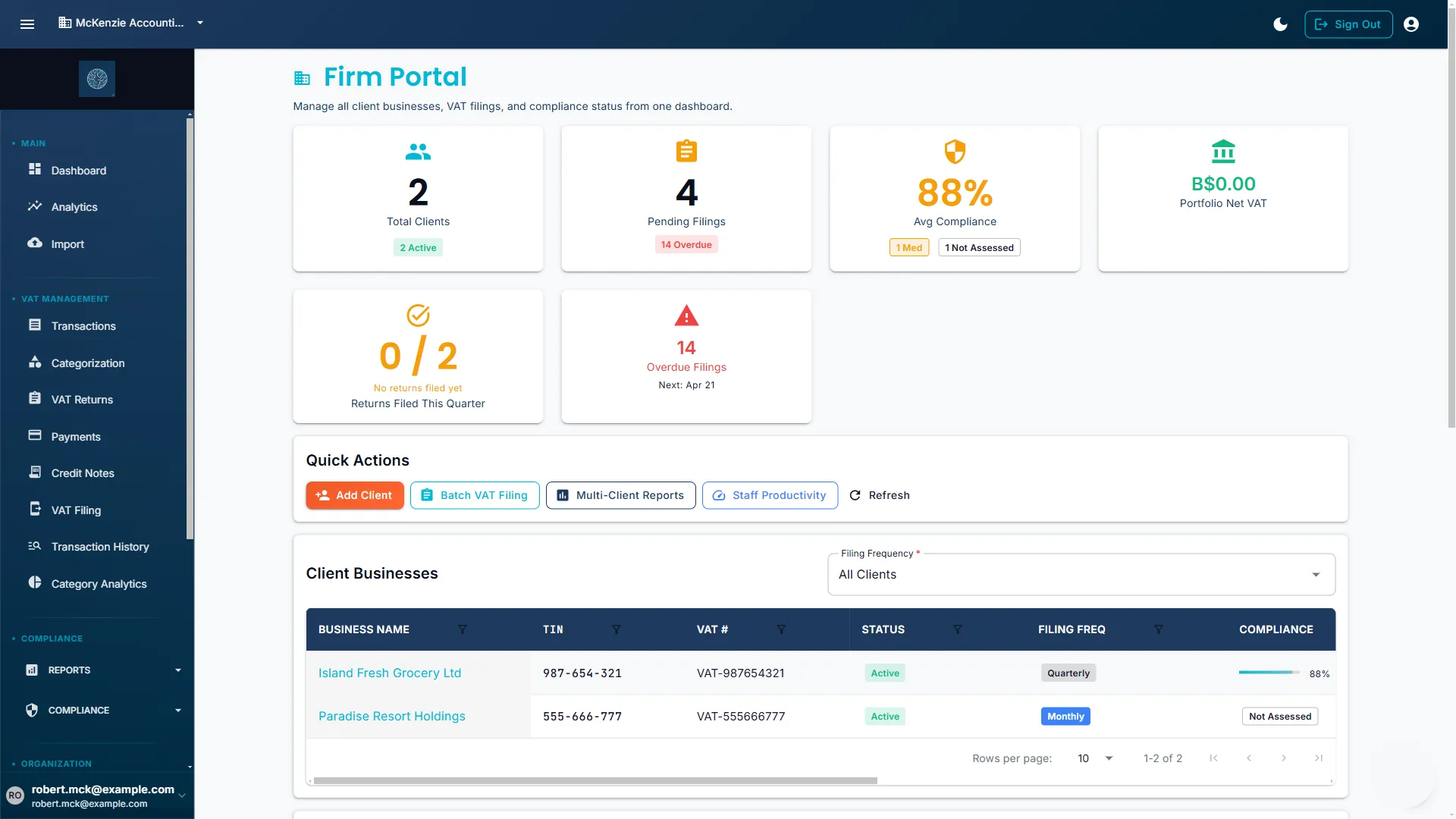
Your entire client portfolio on one screen. Every compliance grade, filing status, and action item surfaced before you've opened a single client file.
Compliance Score Grid
Every client shows their current A–F health grade with red-amber-green indicators. Identify who needs attention before the morning coffee cools.
Audit Status at a Glance
See instantly which clients have complete audit defense documentation and which have outstanding gaps requiring review.
Outstanding Actions Queue
Unreviewed transactions, missing rate classifications, and flagged anomalies rolled up across all clients into a single prioritised list.
Deadline Aggregation Across All Clients
The dashboard pulls every upcoming VAT filing deadline from every client into a single chronological timeline — so you can plan workload weeks ahead, not hours before.
- Chronological deadline view spanning all clients in your portfolio.
- Colour-coded urgency indicators: green (more than 14 days), amber (7–14 days), red (under 7 days).
- One-click jump from a deadline entry directly into that client's return workflow.
- Optional CSV export to share the schedule with your wider team or calendar tool.
Client Switching — Business Switcher
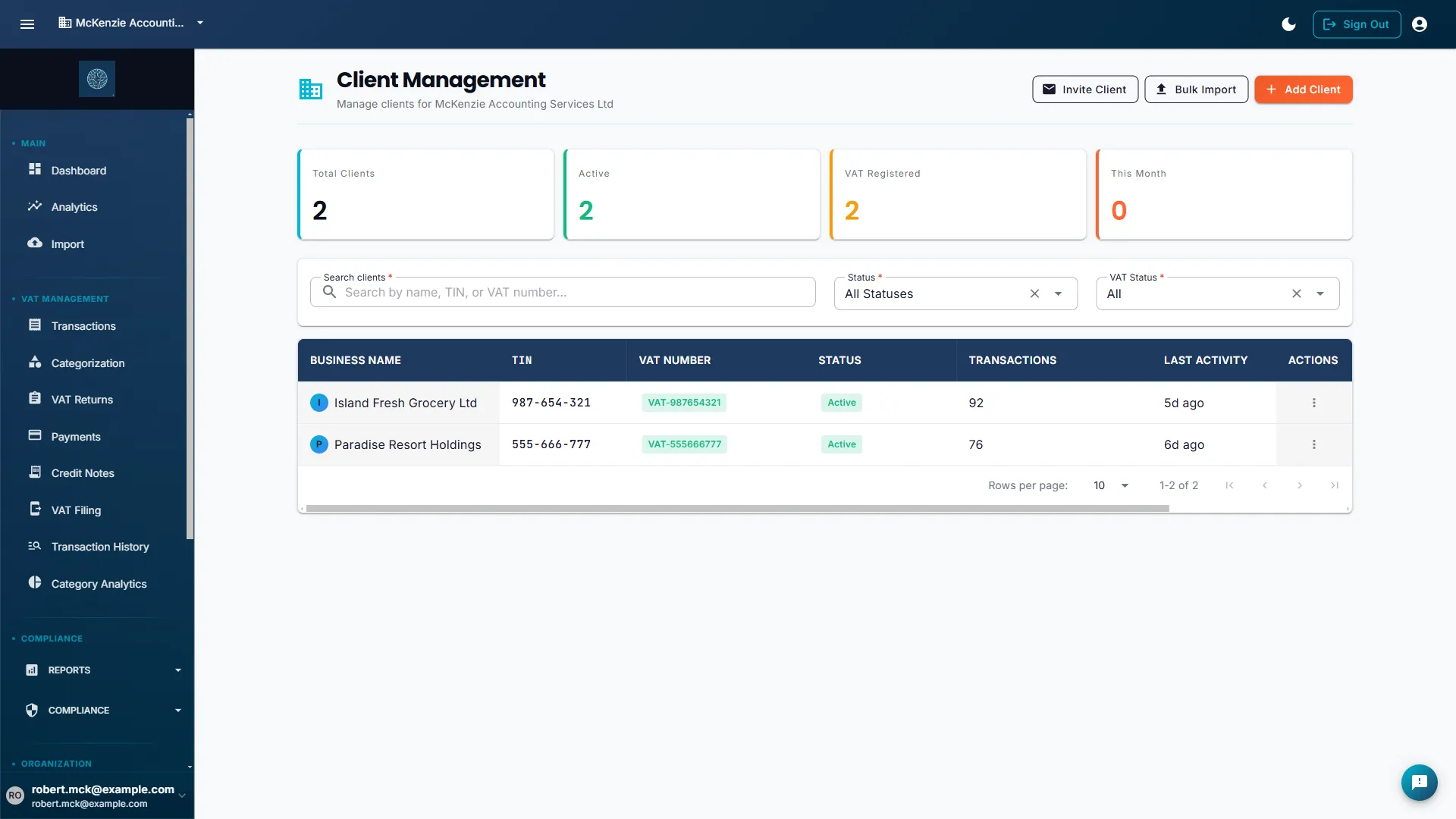
Jump between client workspaces instantly. No re-login, no new browser tab, no waiting. Every client context is one dropdown away.
Instant Context Switch
Select any client from the global switcher and every screen — transactions, returns, audit trail — reloads for that business immediately.
Portfolio Navigation
Use one workspace to move between client records, deadlines, and return workflows without opening separate sessions.
Up to 25 Client Workspaces
Founding member accounts include up to 25 connected client businesses — enough to manage a growing practice from day one.
Per-Client Isolation
Every client's data is fully isolated. Switching context never exposes one client's transactions or documents to another.
Batch Operations & Filing
When quarter-end hits and every client needs attention at once, batch operations let you work across multiple clients simultaneously — cutting hours of repetitive effort down to minutes.
Generate Returns Across Clients
Select multiple clients and prepare their VAT returns for the same period in one workflow before final checks.
Review Queue for Multiple Returns
Step through return drafts client by client, then approve or flag items from a single review flow.
Multi-Client Export Workflows
Export return files, audit packages, or summaries for several clients at once as separate files or a bundled archive.
Staff Access Controls & User Management
Delegate work to your team without giving everyone the keys to everything. Role-based access lets you control exactly what each staff member can see and do — across the whole firm or for specific clients only.
Invite Team Members
Add staff by email address and assign their role in seconds. Invitations expire on schedule if not accepted, and all access is logged for your audit trail.
Per-Client Access Assignment
Restrict any staff member to a subset of clients. A junior accountant handling three specific clients sees only those three — nothing else in the portfolio.
Access Audit Log
Every login, return approval, and data change is recorded against the staff member who made it — giving you a clear accountability trail for every client action.
Stop Juggling. Start Managing.
Join the free beta and get the full Firm Portal — multi-client dashboard, batch filing, and staff access controls — free during open beta.